


How to Rank Higher in Local Search (Free AI Prompt Inside)

Atiqur R. Ashik
This is some text inside of a div block.

May 30, 2025
.png)
You might have the best local business in town. But can people actually find you online?
The answer to that question can be frustrating.
Especially if you’ve built a great product, delivered top-notch service, and earned loyal customers—yet in local search, you’re nowhere to be found. Or worse, your competitors are showing up instead.
That’s not about quality. It’s about clarity. Specifically, clarity for Google.

Google doesn’t guess who you are or what you do. It relies on structured data—schema markup—to understand your business. Without it, your chances of ranking in the map pack, rich results, or voice search drop dramatically.
The good news? You don’t need a developer or a plugin to fix this.
With one free AI prompt, you can instantly generate the schema code Google needs. Just copy, paste, and start showing up where your customers are already looking.
Here’s how to do it.
LocalBusiness Schema Explained: The Fastest Way to Boost Local Visibility
LocalBusiness Schema is specifically designed for local businesses, providing Google with essential details like:
- Business Name: What your business is called
- Location: Your physical address
- Operating Hours: When you’re open
- Business Type: What you do or offer
- Contact Information: Phone number, website, social links
It’s like giving Google a perfectly formatted business card.
When Google knows exactly who you are, where you are, and what you offer, your business has a much better chance of showing up when prospective customers search.
Why It’s Worth Your Time
Schema markup is a simple way to give your business a competitive edge in local search without spending more on ads, hiring developers, or fighting for backlinks.
Here’s what it does:
Boosts Your Visibility in Local Search
- Secure a spot in Google’s Local 3-Pack—the top three local results.
- Stand out with Rich Results, showcasing star ratings, phone numbers, or menus.
- Claim a Knowledge Panel, giving searchers instant access to your business info.
Powers Voice Search
Make your business the answer when people use voice search on Alexa, Siri, or Google Assistant. When customers ask:
- “What time does [your business] close?”
- “Find a pizza place near me.”
Schema makes sure they find you. No schema? No chance you’re the answer.
Drives More Clicks from the Right Customers
Rich snippets grab attention. They put key details—like your hours, ratings, or phone number—right in the search result. More info means more clicks. More clicks mean more customers.
Puts You Ahead of Competitors
Most local businesses skip schema markup because it seems too technical. That’s your chance to get ahead. Add schema, and you stand out before they even catch on.
Knowing why schema matters is only the beginning. The real win comes from using it—without wasting time, hiring a developer, or dealing with code. Here’s how.
The Hypelocal AI Prompt: One Copy-Paste to Schema Success
You’ve seen how powerful schema markup can be, but most local businesses skip it because it seems too technical. That’s your advantage.
You don’t need to understand JSON-LD, write code, or hire a developer.
All you need is this free ChatGPT prompt. Feed it your business details, and it will generate a perfectly formatted schema for your website.
The LocalBusiness Schema Prompt:
From Prompt to Presence: How to Use This Prompt
Here’s how to go from copy-paste prompt to real search impact in just a few steps:
1. Customize the Prompt
Fill in your business details in the prompt:
- Business type (e.g., coffee shop, dental clinic)
- Find this information on Google’s list of business categories here
- Business name, address, phone number, and website
- Operating hours, description, social links, and coordinates (if available)
2. Generate Your Schema
Paste the completed prompt into ChatGPT (or another AI tool).
- The AI instantly generates clean, ready-to-use JSON-LD schema code.
Example Output (Shortened for Clarity):
Hypelocal's LocalBusiness Scheme Code (We've Used It!)
For an additional example, we’ve provided this AI prompt filled out with Hypelocal’s website content.
Use it as a reference. Compare your inputs with ours to ensure you’re setting up your schema for the best possible results.
3. Test with Google’s Rich Results Tool
- Go to Google’s Rich Results Test for the Schema Markup Validator
- Paste your website URL or the JSON-LD code directly into the code snippet section.
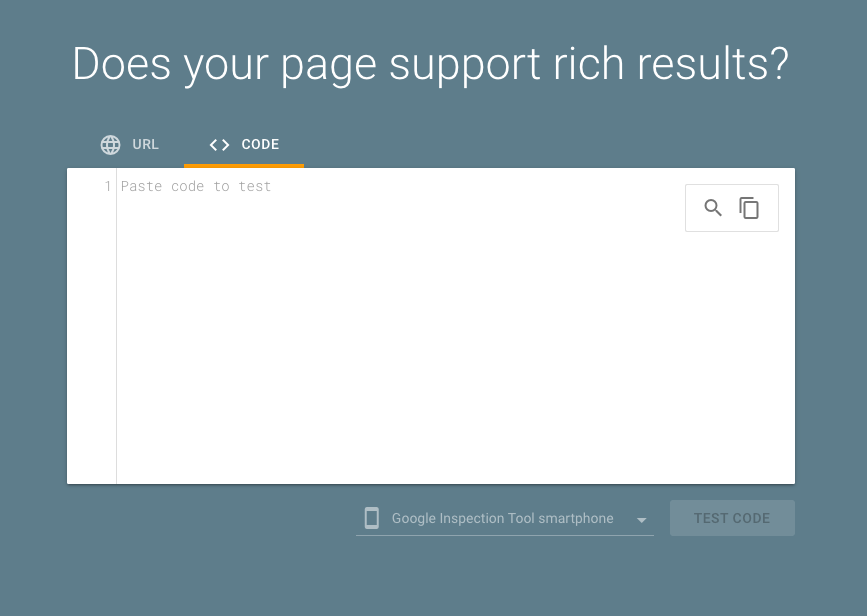
- Check for errors and confirm that your schema is eligible for rich results.
4. Add the Schema to Your Website
Take the generated code and:
- Add it to your homepage (inside the <head> section).
- If you need help with this, talk to your website developer or go to the documentation of the website hosting platform you are using for more information.
With your schema in place, your business gains a competitive edge—appearing in rich results, voice search answers, and Google’s local search pack.
More visibility means more clicks, more customers, and more growth.
Your Shortcut to Better Local SEO
Schema markup used to be a task for developers. Now, it’s a shortcut any business can use.
If you’ve put off schema because it seemed too complex, that barrier is gone. Now, in seconds, you can:
- Boost your visibility in local search
- Attract more clicks from the right customers
- Strengthen your local SEO without technical headaches
You’ve got the AI prompt. You’ve got the process. All that’s left is to use it.
Ready to see your business show up where it matters?

You may also like

Copywriting
February 18, 2025
How to Stop Chasing Attention and Start Creating Intentional, Value-Driven Content
Vanity metrics don’t drive real business growth, but intentional, value-driven content does. Learn how to create content that fosters engagement, builds trust, and leads to conversions.

Demand Generation Marketing
March 15, 2022
Demand Generation vs Lead Generation: Insights From The Modern Marketer’s Playbook
Discover the difference between demand generation vs lead generation. Learn to create interest, remove friction, and implement effective tactics for growth.
Get in Touch

